
Android file · one tap · same ID
99Exch APK — Easy Android Setup to Bet Without Typing the Address
The 99Exch APK is the Android app file served by the Download .apk action on the official 99Exch sign-in screen. In our 11 Oct 2026 check it sat under the Login button on 99exch.pro and 99exch.red. Install it once, then sign in with the User Name and Password you already have.
99Exch APK Users: Fast Secure Sign-In Before You Download
What the 99Exch APK Is — the Official Android File Behind One Tap
Strip away the jargon and the 99Exch APK is a shortcut. Instead of opening Chrome, typing an address, waiting for it to load and then hoping that address has not been blocked overnight, you tap an icon on your home screen and the 99Exch sign-in is simply there. That is the whole pitch.
The letters stand for Android Package. Phones usually pull packages from the Play Store, but 99Exch distributes its own from its login page, so typing 99Exch into the store search is a dead end.
One account, two doors. The app does not create a new 99Exch ID, a second wallet or a separate balance; it opens the same 99Exch account you use in the browser, so whatever you deposit or win shows up in both places.
Why bother at all, if the website works? Mostly because of addresses. Betting domains get blocked in India from time to time, and when one 99Exch ending stops loading, browser users have to go hunting for the next working one. With the app on the phone, most people skip that hunt (most, not all; more on updates below).
- Android only. iPhone owners can skip ahead to the home-screen section further down this page.
- Free. Nobody asks for a payment to download it, and you should be suspicious of anyone who does.
- Same login. Your existing User Name and Password, both case-sensitive, work inside it.
- Practice first if you like. The very screen offering the file also offers Login with Demo ID, so a look around costs nothing before anything is installed.
Short version: it is the website in an app wrapper.
So what is actually inside once you sign in? The same 99Exch account you know from the browser: the sports exchange with its back and lay columns, the casino tables, and one balance behind both. We cover the markets on the 99Exch live inplay page and the money side on My 99 Exchange, where the ₹100 minimum deposit is explained; the app changes none of those rules. It changes how fast you get to them.
99Exch Download APK Action: Where Our Verified 11 Oct Check Found It
Every 99exch download starts on a sign-in screen, so the first job is finding a 99Exch address that actually shows one. We opened the known endings on the morning of 11 Oct 2026, at roughly 05:40 IST, and noted which ones served the screen with Download .apk under the Login button. One thing first, so nobody gets confused: 99exech.pro, the site you are reading, is a separate information site about 99Exch. It is not 99exch.pro and it is not 99exchpro.com, and it does not host any APK.
| Address opened on 11 Oct 2026 | What loaded | Download .apk visible? |
|---|---|---|
| 99exch.pro | Sign-in screen: User Name, Password, Login, Login with Demo ID | Yes, below the reCAPTCHA notice |
| 99exch.red | The same sign-in screen as 99exch.pro | Yes |
| 99exch.live | The same sign-in screen | Yes |
| 99exch.green | The same sign-in screen | Yes |
| 99exch.win | The same sign-in screen | Yes |
| 99exch.com | Lobby straight away; the APK offer floats over it on first load | As a promo layer, not on a sign-in screen |
| 99exchpro.com | Opens straight into a sports lobby | Not seen in our check |
| 99exch.io | 404, no site served | No |
A few things in the the table matter more than they look. The five endings that served the sign-in screen all showed the identical layout, so the 99Exch file you get from 99exch.red should be the same file you would get from 99exch.pro on that day. The .com address behaved differently. It skipped the sign-in and dropped us into the lobby, with the Download APK offer appearing as a layer over the page the first time it opened; that is probably where most 99exch com apk searches come from. And the bare https:// request to 99exch.com timed out once at 05:38 before loading on retry, which is exactly the sort of hiccup that pushes people toward an app.
If a red ending is your usual door, the 99Exch red address notes cover it in more detail. Phone users who land on a /m/home path see the same sign-in first, as the 99Exch m home route page explains.
Statuses change. Treat this as a dated snapshot.
What if none of the endings load for you? It happens, usually on one network rather than everywhere. Switching from Wi-Fi to mobile data, or the other way round, is the quickest test. Beyond that, the Contact On Whatsapp action on the same 99Exch screen, and the 24x7 desk on WhatsApp and Telegram at +91 81097 11726, are where account and access questions go; the 99Exch WhatsApp desk page has the departments listed.
Easy 99Exch APK Install: Six Android Taps From Chrome to Your Balance
The install itself takes a handful of taps. Here is the order that works on a typical Android phone, written around what the 99Exch screen shows rather than any one phone brand's menus, which all word things slightly differently.
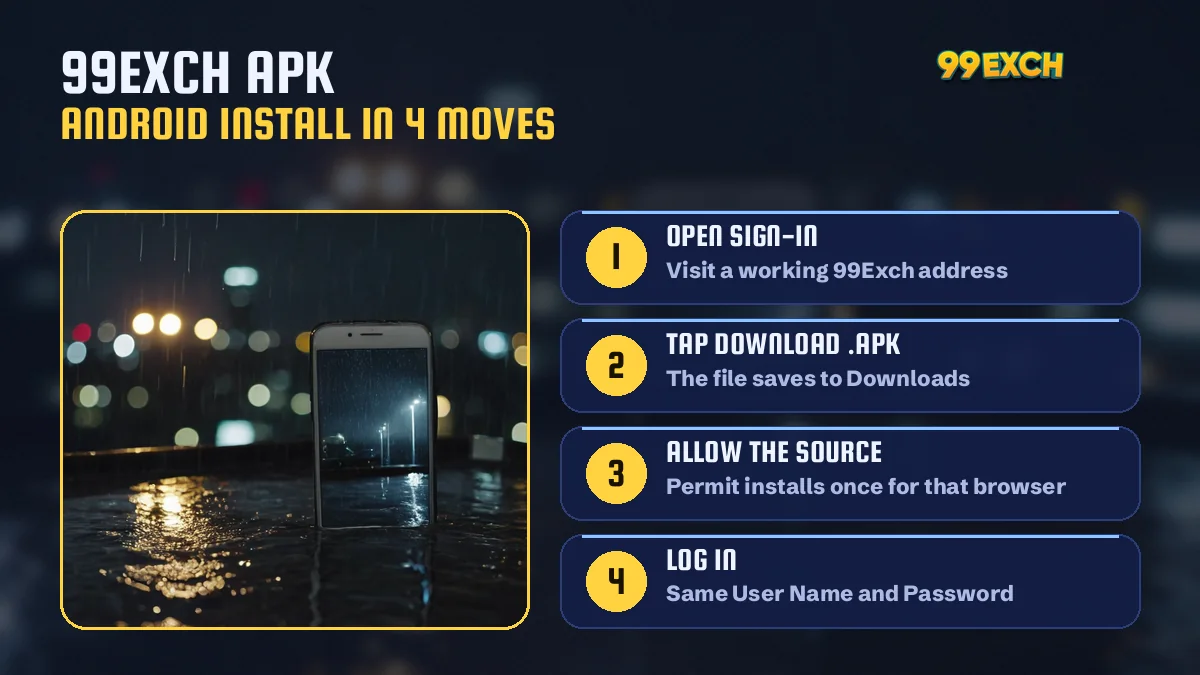
- Open a working 99Exch address in Chrome. From our check, 99exch.pro or 99exch.red served the sign-in screen with the download action; if one does not load, try the next ending in the table above.
- Look under the two login buttons. Of the three actions sitting there after the reCAPTCHA notice, Download .apk comes first; tap it. Signing in beforehand is optional.
- Keep the file when Chrome questions it. Chrome flags every .apk fetched from a website in the same words, so the prompt says nothing about 99Exch in particular; what matters is that you tapped the action yourself on a 99Exch screen you opened.
- Tap the finished file in the download bar or in your Downloads folder. Android will say that installs from this source are blocked and offer a settings switch to allow them.
- Allow installs from that source once, go back, and tap Install. The 99Exch icon lands in your app drawer.
- Open the app and type the same User Name and Password you use on the website. Both are case-sensitive, so check the capital letters.
That is it. Six steps.
Step five is the one people hesitate on, and fair enough: Android is asking you to trust a file from a website rather than from Google. The permission is per app, though, so allowing Chrome to install the 99Exch APK does not switch off protection for the rest of the phone, and you can turn the toggle back off once the 99Exch app is in place without the app disappearing.
A common slip: the first tap on Download .apk seems dead, so the thumb goes again, and again. Next morning the Downloads folder holds a pile of identical 99Exch files with numbered names. Install from any one of them and bin the rest.
A rejected password in the app is a 99Exch account matter, not an APK fault, so reinstalling will not cure it. Slow down on the capitals first; after that, Password Issue is one of the departments at the WhatsApp desk, and the 99Exch com login fixes page covers the reset. Install errors, blocked-file messages and parse problems have their own page too: the 99Exch app download troubleshooting walks through each one, so we will not repeat it here.
New to the screen altogether? The full 99Exch login walkthrough explains every field, including what the demo button does.
One habit worth picking up before the first real bet in the app: tap Login with Demo ID on the website once and click around. The demo is practice with no deposit, so you can learn where the 99Exch markets sit without risking anything, then do the real thing in the app with the layout already familiar.
99 Exchange APK on iPhone? The Easy Home-Screen Route Instead
People type 99 exchange apk on iPhones all the time, and the result is always the same: nothing installs. iOS only runs apps from Apple's own store and does not open APK files, so the Download .apk action on the 99Exch sign-in screen is useful to Android owners only. iPhone users still get something close to an app icon, though, through Safari.
Android: the 99Exch APK route
Open a working 99Exch address in Chrome, tap Download .apk under the sign-in, allow installs from that source once, install, and sign in with your existing ID. The result is a real installed app with its own icon.
iPhone: free 99Exch icon via Safari
Load an ending that served the sign-in on 11 Oct 2026, 99exch.live for instance, wait for User Name and Password to appear, and save it with Add to Home Screen from the Share sheet. No install happens; it is a bookmark with an icon.
Is the iPhone version worse? Slightly different, more then worse. A home-screen shortcut is tied to the address you saved, so if that 99Exch ending gets blocked, the icon will open a page that does not load, and you will need to add a fresh shortcut from a working ending. The Android app can carry on when a single address goes down, at least in principle; in practice it depends on how a given build is set up, and we have no way to check that from outside.
Either way the account is identical. The 99Exch ID, the balance and the bet history are the same whether you tap the Android app, the iPhone shortcut or a plain browser tab.
For the iPhone route, the steps in a little more detail. Use Safari, not another browser, since the Add to Home Screen option lives in Safari's Share sheet. Load the 99Exch sign-in fully before you tap Share; saving a half-loaded page sometimes gives a blank icon. You can rename the shortcut to plain 99Exch at the confirm step. That is all there is to it, and it costs nothing.
99Exch Download APK Latest Version — the Reliable Way to Update
No number here, deliberately. Pages that print a version and a megabyte figure beside a 99exch download apk latest version link are guessing. The 99Exch screen we opened on 11 Oct 2026 showed neither, so the date you tapped the button is the only freshness marker anyone can honestly give you.
What we can say is simpler and, frankly, more useful. The latest 99Exch APK is whatever file the Download .apk action serves on the day you tap it. There is no second channel, no update server you need to know about, no special link; the sign-in screen is the source.
- Open a working 99Exch address in Chrome, the same way as the first install.
- Tap Download .apk again to fetch a fresh copy.
- Open the new file and choose Install. Android usually offers to update the 99Exch app already on the phone rather than add a second one.
- Sign in again if the app asks; your 99Exch balance is held on the account, not inside the app.
When should you do this? Roughly whenever the app starts misbehaving in a way the website does not, or when the desk tells you a newer file is out. If the app will not open at all, re-fetching from the sign-in screen is the first thing to try, before anything cleverer. It sounds too obvious to be worth a section, but a large share of app complaints come down to a phone running an old 99Exch file that was downloaded months ago and never replaced.
And if a stranger sends you a 99Exch APK labelled as some newer version than the one on the sign-in screen? Don't install it. Fetch your own copy from a working 99Exch address instead, because a file that did not come from that screen could be anything at all.
Share This Apk to Friend — How 99Exch Passes the Free File On
Right under Download .apk and Contact On Whatsapp, the 99Exch sign-in screen carries a third action: Share This Apk to Friend. It exists for the obvious reason: someone sitting next to you asks how you got the app, and you would rather hand it over than explain domain endings.
Tap it and Android opens its normal share sheet, so you can send the 99Exch download to a friend through whichever app you already use for messages. What arrives on the other phone is a way to fetch the same file from the 99Exch screen, and your friend still has to go through the allow-once install step on their own phone.
Best 99Exch share case: a friend with Android
Someone with an Android handset can take the shared 99Exch download, install it and sit at the same sign-in you see, minus your login of course.
Quick fix for a friend with an iPhone
Sharing a file to an iPhone goes nowhere. Send that friend a working 99Exch address instead and point them to the Safari section on this page.
A small caution. Forwarded files tend to get forwarded again, and again, and a copy that has passed through six group chats is still the same file it was on day one, which means it ages. If you are the friend on the receiving end and the shared app gives trouble, go to a working 99Exch address and use Download .apk yourself rather than asking for the file a second time.
Want a new account for that friend? The desk handles it; the 99 Exchange sign-up steps list what to send.
99Exch Pro APK Searches — Same Official File, Different Address
The pro in 99exch pro apk comes from an address, not from a special build. Plenty of peple remember 99exch.pro because it was the first ending they ever typed, and on 11 Oct 2026 it did carry the download action under its login buttons. So did four other endings, red, live, green and win, with an identical layout. One 99Exch file, five doors to it, and no premium edition hiding behind any of them.
Two near-identical names cause most of the mix-ups:
- 99exch.pro served the sign-in screen with the download action in our check.
- 99exchpro.com, with no dot in the middle, opened straight into a sports lobby with INPLAY, CRICKET, FOOTBALL and TENNIS tabs, and we did not see the sign-in screen there.
- 99exech.pro, with an extra e, is this information site, which does not host or serve any 99Exch file.
So if you typed 99exch pro apk into a search box, what you most likely want is the Download .apk action on whichever 99Exch sign-in screen loads for you today. Same file. Same ID. The ending in the address bar matters much less than the people selling "pro" versions on social media would like you to think.
Every 99Exch APK Search Phrase Answered in One Trusted Box
Which file a 99exch apk search should lead you to
Whether you typed 99exch apk, 99exch download or 99 exchange apk, the answer is the same Android file: the one behind Download .apk on a working 99Exch sign-in screen. In our 11 Oct 2026 check that screen loaded on 99exch.pro, 99exch.red, 99exch.live, 99exch.green and 99exch.win.
Typing 99exch com apk? On 99exch.com we never reached a sign-in at all. The lobby opened directly and the file was pitched through a promo layer; close that and you need a sign-in ending to find Download .apk again.
- Open a working 99Exch address in Chrome on Android.
- Tap Download .apk below the sign-in for the 99exch download apk file.
- Allow that source once, install, and sign in with your current 99Exch ID.
- For the 99exch download apk latest version, repeat the tap later; the screen serves the current file.
How each 99Exch phone gets the app on this page
Two phones, two answers: an installed app on one, a saved icon on the other.
| Phone | 99Exch route |
|---|---|
| Android | Download .apk, then install |
| iPhone | Safari Share, Add to Home Screen |
| Either | Same ID and balance |
99Exch APK Questions Android Users Ask — Safe, Quick Answers
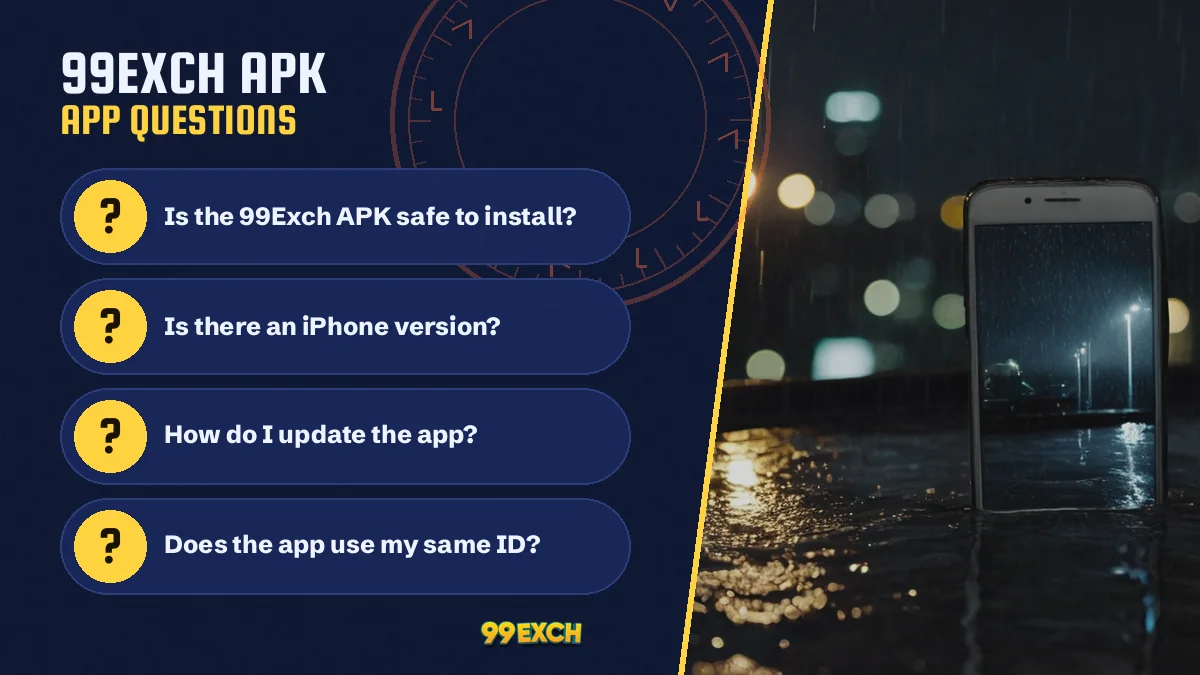
Is the 99Exch APK safe to install on my phone?
Fetch it yourself and the risk stays low: the copy behind Download .apk on a working 99Exch sign-in is the one to trust. Android still shows its outside-app warning, as it does for any APK. Files forwarded by strangers or sold as special editions are the ones to refuse.
How do I download the 99Exch APK?
Open a working 99Exch address such as 99exch.pro or 99exch.red in Chrome, scroll below the Login buttons and tap Download .apk. Then open the file, allow installs from that source once, tap Install and sign in with your existing User Name and Password.
Is there a 99Exch app for iPhone?
No, there is no APK for iPhone because iOS cannot install APK files. Open a working 99Exch address in Safari, tap Share, then choose Add to Home Screen. That icon opens the same sign-in, and your usual 99Exch ID works there.
How do I update the 99Exch app to the latest version?
Tap Download .apk again on any working 99Exch sign-in, then install the new file on top of the old one. Whatever the screen serves that day counts as current. Android normally keeps a single icon, and nothing about your 99Exch balance lives inside the file.
Can I use my existing 99Exch ID inside the app?
Yes. Enter the User Name and Password the desk sent when your account was made, capitals exactly as given. Deposits, open bets and history then match the browser, because they belong to your 99Exch account rather than to the phone or the file.