Password and sign-in fixes · address checked 11 Oct 2026

99Exch Com Login — Trusted Reset Route for a Forgotten Password

Caps Lock causes most refused passwords on the 99exch com login, because 99Exch reads capital and small letters as different characters. Switch it off and retype slowly. If the password is genuinely lost, the WhatsApp desk's Password Issue team issues a new one. On 99exch.com, Login sits on the lobby's top row.

Hands you to the official screen in a new tab

99Exch Com Login Card — Secure Entry With the Password You Were Sent

The boxes here have no name attribute, so pressing the button sends nothing from 99exech.pro. A new tab opens the official 99Exch sign-in and you type your details there.

99exch com login banner reading Fix a wrong password fast, sub-line Case-sensitive fields, reset on 24x7 chat, man in slate jacket at the side

Where the 99Exch Com Login Really Lands — Verified Address Check

Type 99exch.com and you do not get a login box first. You get the lobby. In our 11 Oct 2026 check, run at roughly 05:40 IST, the address answered over http:// and through the www form with the full 99Exch sports lobby: Rules and Login sitting together on the top row, tabs for INPLAY, CRICKET, FOOTBALL and TENNIS, LIVE and VIRTUAL chips under them, and match rows carrying paired back and lay prices.

So the com route is a two-step sign-in. Lobby, then Login.

Two other things showed up on that first visit and both confuse people. A Download APK promo layer slid over the page the moment it opened; it is an offer for the Android app, not the sign-in, and closing it reveals the lobby underneath. A 24x7 support badge also sat in the bottom-right corner, which is handy later if the password fails, because that badge and the WhatsApp desk lead to the same help.

Timestamp detail from our test: 05:38, bare https://, no answer. Second attempt, same 99Exch address, lobby loaded. A single stall like that is not an outage, so give 99exch.com one more try before you go hunting for another ending.

Lobby first. 99exch.com opens the sports lobby; the Login button waits on the top row next to Rules.

Login first. 99exch.pro, 99exch.red, 99exch.live, 99exch.green and 99exch.win showed the sign-in screen straight away in the same 11 Oct 2026 check.

Switching endings never means switching accounts. Your existing 99Exch User Name and Password open the same balance on whichever address answers, which matters because blocks in India knock betting domains offline every so often. Only 99exch.io is out of the running: it returned a 404 for us and served no site, and our note on the 99exch.io ending keeps that status in one place.

Spelling trap, since you are here: 99exech.pro, with the extra e, is this information site about 99Exch. The addresses 99exch.pro and 99exchpro.com are not us. This page cannot log you in; its card simply forwards you to the official screen.

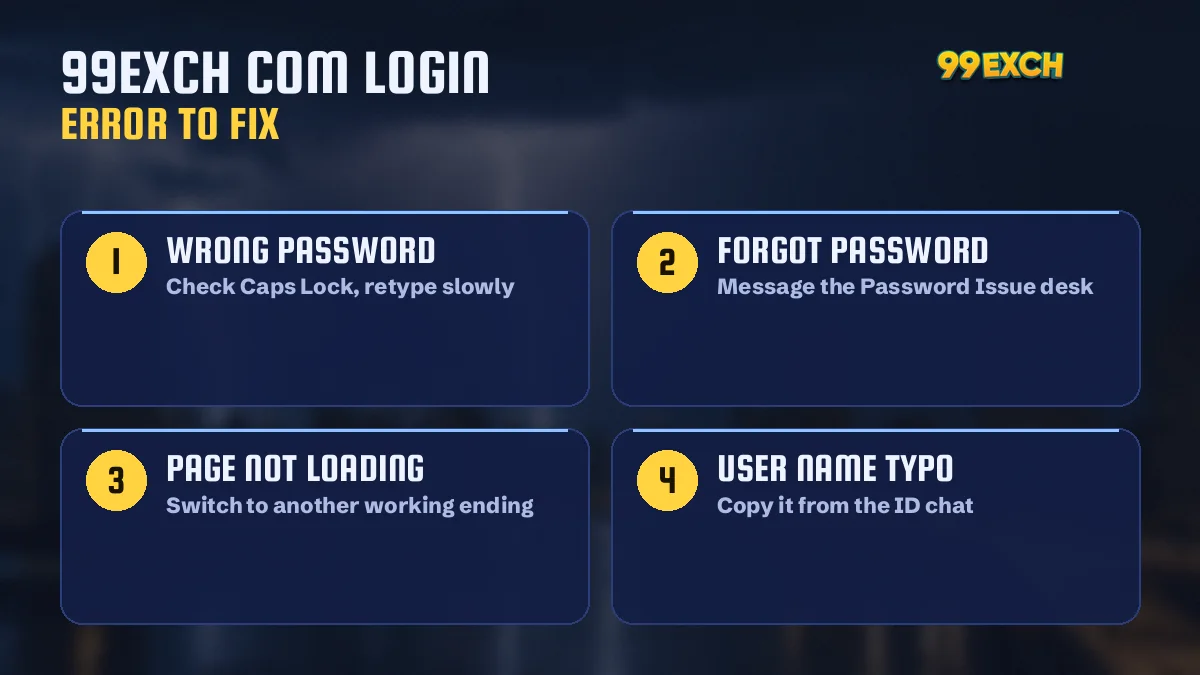
99Exch card set Error to fix in four numbered steps: Wrong password, Forgot password, Page not loading, User name typo
On 99exch.com the sign-in sits behind the lobby. Close the APK layer if it appears, find Login on the top row, and only then do the User Name and Password boxes show up.

https 99exch com login, http and m Login — One Reliable Sign-In, Four Spellings

People arrive at the same account by typing the address in slightly different ways, and search engines count each version as its own query. Four of them matter here. Each one is a spelling of the same 99Exch sign-in, not a separate site with separate passwords.

  • https 99exch com login — the secure prefix typed out in full. In our check this was the only form that stalled, once, before it loaded on the second attempt.
  • http 99exch com login — the plain prefix. It loaded first time on 11 Oct 2026 and brought up the lobby with Login on the top row.
  • 99exch com m login — adds an m segment to the path, short for mobile. Our 10 Oct test opened /m/login and /m/home on 99exch.red: neither showed the lobby, and both went straight to the User Name and Password boxes.
  • https 99exch com m login — the same mobile route with the secure prefix in front. We did not test the /m/ path on the .com ending itself, so treat it as likely to behave like .red, not confirmed.

Does https versus http change anything for your account? Barely. In practice the difference that matters is between the lobby route on 99exch.com and the login-first route you get from the m path or from endings such as 99exch.red, and even that only decides whether you see the sports list before the User Name box or after it. Your 99Exch credentials stay identical across all four spellings.

Phones are where the m spelling earns it's keep. On a small screen the lobby is a long scroll of tabs and match rows, so going straight to the sign-in saves a step, which is probably why so many people search 99exch com m login rather than the plain form. Desktop users mostly do not bother with with it.

Plenty of browsers autocomplete www in front of 99exch.com. Fine. In our check the www form returned the same 99Exch lobby, with Login in its usual top-row spot, so there is no reason to delete it before pressing enter.

What the two boxes look like, and what the Demo ID button does, sits on our full 99Exch login field breakdown; this page stays with addresses and errors. If you think of the brand in its long form, the 99 Exchange login page covers the same sign-in from that spelling.

Verified 99Exch Com Login Terms, Each Matched to What It Opens

99exch com login — what the lobby route asks of you

The plain 99exch com login opens the 99Exch sports lobby first. Press Login on the top row beside Rules, then enter your User Name and Password exactly as the desk sent them.

https 99exch com login when the secure prefix stalls

Our https 99exch com login test timed out once at 05:38 on 11 Oct 2026 and loaded on retry. One refresh is the fix before trying another ending.

http 99exch com login on the plain prefix

Typing http 99exch com login reached the same lobby on the first try in that check. Same account, same balance, same Login button.

99exch com m login and the https 99exch com m login form

Both mobile spellings aim at the m route, which showed the sign-in screen before any lobby on 99exch.red. The 99exch com m login and https 99exch com m login use the credentials you already hold.

99exch com login password refused at the screen

Two meanings hide in the search 99exch com login password: a password the screen will not accept, and one you cannot remember. The first is fixed at the keyboard; the second needs the Password Issue team on the WhatsApp desk.

Order to try when one 99Exch spelling fails
  1. Refresh 99exch.com once.
  2. Switch to the http:// or www form.
  3. Open a login-first ending such as 99exch.red.
  4. Skip 99exch.io, which gave a 404.

99Exch Com Login Errors and the Fast Fix for Each One

Most failed sign-ins on 99Exch come down to a handful of causes. The table puts the symptom you see first, because that is what you actually know when the screen refuses you.

What you seeLikely causeWhat to do
Password refused, though you are sure of itCaps Lock on, or one letter in the wrong caseTurn Caps Lock off and retype slowly, matching each capital from the desk message
Refused right after a new ID arrivedUser Name typed with a changed letter case or a stray space from copyingCopy the User Name again from the WhatsApp chat, or type it by hand letter by letter
99exch.com keeps loadingThe bare https:// request stalling, as it did once at 05:38 in our checkRefresh once, then try the http:// form or a login-first ending like 99exch.red
Lobby visible but no User Name boxYou are on the lobby, not the sign-inClose the Download APK layer if it covers the page, then press Login on the top row
Blank page or an error code on 99exch.ioThat ending returned a 404 in our 11 Oct 2026 checkUse 99exch.com or another working ending; your ID is the same
Password simply forgottenNo copy left anywhere you can findAsk the WhatsApp desk, Password Issue department, for a reset

One more thing sits under the button on the official 99Exch screen: a reCAPTCHA notice. It is part of the page every time, not an error message, and there is nothing to fix about it.

A typical evening goes like this. Someone tries the password three times, gets refused three times, and assumes the account is gone — then notices the Caps Lock light glowing on the laptop and gets in on the fourth attempt. That is the single most common 99Exch sign-in problem, and it costs nothing to rule out before you message anyone.

Case matters for the User Name as well as the Password. Both are case-sensitive on 99Exch, so a User Name typed in all small letters is, as far as the screen is concerned, a different name.

Free 99Exch Demo ID Test — Is It the Page or Your Password?

Two buttons sit side by side on the official 99Exch sign-in. One expects your own details; the other, Login with Demo ID, opens a practice session that asks for no deposit. Pressing the second is a free diagnostic for the first.

  • Demo gets in, your own ID does not: the page is fine and the problem is the User Name or Password you are typing.
  • Demo fails too: the address or your connection is the issue, so move to the fallback order further down this page.
  • Neither screen loads at all: nothing to do with your account yet. Fix the address first.

It sounds trivial. It saves a lot of back-and-forth, because when you do message the 99Exch desk you can say which of the three happened instead of just reporting that the login is broken.

99exch com login password Reset — Free 24x7 Route Through the WhatsApp Desk

There is no reset link to hunt for. In our check the official sign-in offered the two boxes, the normal button and its practice twin, a reCAPTCHA notice, the .apk download, a WhatsApp contact link and an option to share the app, and not one word about forgotten passwords. The reset runs through the 99Exch desk instead. Here is the order that keeps it short.

  1. Rule out the case slip first: Caps Lock off, then two careful attempts typed slowly.
  2. Save +91 81097 11726 and start a WhatsApp chat with the 99Exch desk, the same desk that handed out your ID.
  3. Ask for the Password Issue department. The desk splits its work into New ID, Deposit Issue, Withdrawal and Password Issue, so naming it saves a round of questions.
  4. Give your User Name exactly as it was sent to you, capitals included, so the reset lands on the right account.
  5. Copy the new password from the chat as written, without adding or dropping a space.
  6. Go back to 99exch.com, press Login on the top row, and enter the User Name with the new password.

Short version: one chat, one department, one new password. The desk runs 24x7 on WhatsApp and on Telegram, and the full contact detail for both lives on our 99Exch WhatsApp number page, so you do not need to save anything from here. We are not quoting a reply time, because the desk does not publish one that we could check.

What to have ready before you open the chat: the User Name, the phone number you used when the ID was set up (the desk created it from a name and a contact number in the first place), and a one-line description of what the screen said. That is all. The reset is about a password you no longer have, so there is no reason to paste old guesses into the chat either.

Signed in through the Android app before? It reads the same 99Exch credentials as the browser screen, so the fresh password goes there too; installing it is covered on the 99Exch APK page.

Keep the new password somewhere you can read it exacty. Most repeat resets happen because the second password was retyped from memory, with a capital lost along the way, rather than because anything went wrong at the 99Exch end.

Quick 99Exch Caps Lock Worked Example for the Password Field

Say the desk sends a User Name of StormKite and a password of monSoonRun. Here is what happens on the 99Exch screen with Caps Lock left on by accident.

What the desk sent

User Name: StormKite

Password: monSoonRun

What Caps Lock produces

User Name: sTORMkITE

Password: MONsOONrUN

Every letter flips. The screen sees two strings that share no capital with the originals, refuses them, and from your side it looks exactly as if the password had been changed or the account had been locked, when the only thing wrong is one key on the left of the keyboard. Phones do a softer version of the same thing: the keyboard capitalises the first letter of the box on its own, so stormKite can quietly become StormKite, or the reverse. Watch the first letter.

Wait — one caution on the example. The names above are made up for illustration; your real 99Exch User Name is whatever the desk wrote in your chat, and that chat is the only reliable copy of it.

When the 99Exch Com Login Page Will Not Load — Reliable Fallback Order

A page that never appears is a different problem from a password that fails. Nothing you type matters until the screen loads.

Start with one refresh of 99exch.com. Then the http:// or www form. Then an ending that opens on the login screen directly — 99exch.red, 99exch.live, 99exch.green, 99exch.win and 99exch.pro all did in our 11 Oct 2026 check. The same User Name and the same balance work on each.

Two addresses are dead ends, and both catch people. 99exch.io gave a 404 with no site behind it, so switching to it never helps. 99exchange.com is not a 99Exch address at all; in our check it returned a tiny holding page with no lobby, and anyone typing 99 exchange com should use a working 99Exch ending instead. Hard to say how long any given ending stays reachable, which is why the dated wording on this page matters more than the list itself.

Switching endings changes the first screen you see and nothing else. On 99exch.com that is the lobby with its APK layer; on 99exch.red or 99exch.win it is the sign-in itself. Your 99Exch balance follows the account, not the address, so there is nothing to carry across.

Once an ending loads and your 99Exch sign-in goes through, bookmark that exact address on the device you used. The next time 99exch.com stalls, you open the bookmark instead of retyping prefixes and guessing, and if that one also stops, you are back to the order above with the same User Name and Password in hand.

99Exch question board Login help beside a smith hammer throwing sparks on an anvil, opening with: Why does it say wrong password?

99Exch Com Login Password Questions — Straight Support Answers

Why does 99exch com login say my password is wrong?

A refusal on a password you remember almost always means letters went in with the wrong case. 99Exch treats capital and small letters as different characters in both boxes, and Caps Lock or phone auto-capitals flip them silently. Retype slowly; if it still fails twice, contact the desk about a reset.

How do I reset my 99Exch password?

Through chat, not through the screen. Save +91 81097 11726, write to the 99Exch desk, name the Password Issue department and paste your User Name with its capitals intact. The new password comes back in that conversation, and you type it into the official sign-in exactly as written.

Is http 99exch com login different from https 99exch com login?

No, both reach the same 99Exch lobby and the same account. In our 11 Oct 2026 check, the http:// form loaded straight away while the bare https:// request timed out once and worked on retry. Whichever prefix you type, press Login on the top row and use the same details.

How does 99exch com m login work on a phone?

Add /m/login after the address and you land on the mobile sign-in without passing the lobby. That was the behaviour on 99exch.red on 10 Oct 2026, where /m/home did the same. We did not test the com form directly, but your 99Exch User Name and Password are identical either way.

Is the 99Exch login page safe to use?

Use only the official screen, reached from a working 99Exch address or the card on this page, which opens it in a new tab. That screen carries a reCAPTCHA notice under its fields. 99exech.pro is a separate information site and keeps nothing you type into its card.

What if my 99Exch account seems locked after many tries?

Nothing on the 99Exch sign-in mentions a lockout, and we cannot quote any limit. Treat repeated refusals as a cue to change approach: send your User Name to the desk under Password Issue, add the exact wording the screen gave you, and let the desk say whether a reset is needed.

I forgot my 99Exch User Name. What now?

It was delivered in writing, inside the same WhatsApp thread that carried your password and login link when the 99Exch ID was opened. Searching that thread beats guessing spellings at the screen. Lost the thread entirely? Write to the desk from the phone number tied to the ID and ask.

Why is the 99exch com login page not loading?

Often the address is slow or blocked rather than broken. Refresh once, since our https test on 11 Oct 2026 stalled once before loading. Then try http:// or a login-first ending such as 99exch.red. Skip 99exch.io, which returned a 404 in that check. Your ID works on any working address.